Winners Spotlight: Q&A with Move to Heal, XôDengue, and VIPMOD
Three App Inventor competition winners dive deep into their projects, from how they got started to what software they used to how they overcame unexpected challenges.
Every year since 2020, the App Inventor team hosts a virtual competition inviting people of all ages around the world to use MIT App Inventor to develop mobile apps for social good. With the 2026 Global Appathon underway, and you may be wondering: How do I come up with an idea or find a team? What tools or technical skills should I learn for my project? Where should I go if I need help? What better way to answer these questions than to ask our past competition winners!
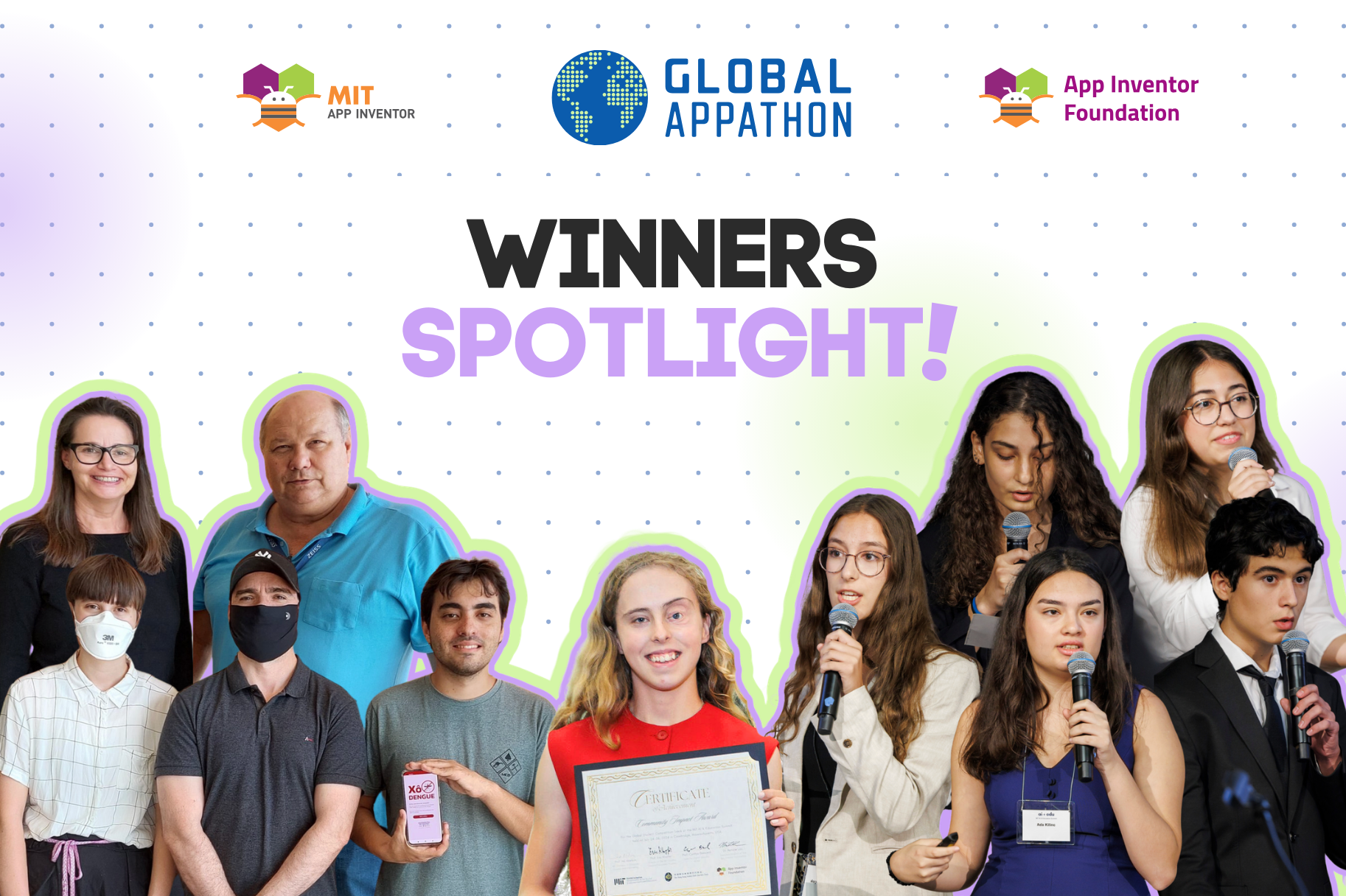
We caught up with three past winners—Move to Heal, XôDengue, and VIPMOD—who come from different corners of the world and span a variety of team types and topics. Our conversation dives deep into each of their projects, from how they got started to what software they used to how they overcame unexpected challenges. We hope their experience and advice will inspire you on your appathon journey.
About
Team Member(s): Ada Kilinc, Batuhan Pekcan, Defne Nil Pekdemir, Deniz Derya Gokcek, Eylul Karabulak
Location: Turkey
Award: Youth Team Winner, Global AI Hackathon 2025
Description: Doing physical therapy incorrectly at home is a serious issue that often goes unnoticed. Without proper guidance, people may perform movements in ways that make their condition worse — or even cause lasting harm. This problem connects directly to UN SDG 3: Good Health and Well-being. Recovery should not depend only on having access to a professional. Even small mistakes during exercise can have long-term effects on someone’s health. We wanted to create something that supports people on their healing journey, helping them feel safe and confident while exercising at home — especially when expert help isn’t always available.
Team Member(s): Pedro Philippi Araújo, Ramon Mayor Martins, Lai von Wangenheim, Christiane Gresse von Wangenheim, Carlos José de Carvalho Pinto
Location: Brazil
Award: All-Ages Team Honorable Mention, App of the Season Spring 2023
Description: Dengue is a viral disease transmitted by the bite of the Aedes aegypti mosquito infected with the virus. Many cities suffer from a dengue epidemic. In the state of Santa Catarina, Brazil, the numbers are alarming with more than 4,700 cases of infected patients and many severe cases including hospitalization and death. Dengue can be prevented by eliminating sources of stagnant water in order to inhibit the growth of the mosquito larvae. Yet, recognizing the species of a mosquito larva is a difficult task requiring expertise. Our app helps citizens know if Aedes aegypti mosquito larvae are present in their home in order to prevent a dengue epidemic. It classifies mosquito species from a picture of a mosquito larva taken with the cellphone camera with a total accuracy of 95%.
Team Member(s): Maura Moore-McCune
Location: Ireland
Award: Youth Individual Winner, Global AI Hackathon 2024
Description: VIPMOD (Vision Impaired Person’s Moving Object Detector) is a system for detecting moving objects (e.g. cars, pedestrians), for use by vision impaired people. I have designed VIPMOD to help people who are vision impaired or who have other access needs to live safer and more independent lives.
Getting started
How did your team come together? Did you all know each other before? Had you worked together in any context?
Move to Heal: Our team came together through our school’s robotics club last year. We already knew each other from working on different projects and competitions together, so we had strong teamwork and communication from the beginning.
XôDengue: This application emerged from undergraduate research conducted by the Computing in Schools initiative in cooperation with the Laboratory of Hematozoan Transmitters at the Federal University of Santa Catarina and the Central Public Health Laboratory, with funding from National Council for Scientific and Technological Development (CNPq). Focusing on teaching and learning artificial intelligence in schools, researchers from the Computing in Schools initiative, who worked together previously, came together with biology researchers specializing in mosquito-borne diseases for the XôDengue project, leveraging their combined expertise.
Describe your ideation process. How did you come up with your project idea? Were there other ideas you considered?
Move to Heal: Our idea came from a real experience in one of our team members' family. Her grandmother was doing rehabilitation exercises at home, but because she performed some movements incorrectly, her condition actually got worse. She was our inspiration to create Move to Heal, an AI-powered app that checks whether rehabilitation movements are performed correctly and gives feedback. At the beginning, we also brainstormed a few different AI project directions, including an idea related to food safety. However, after speaking with an expert and learning more about feasibility and reliability, we decided to focus on rehabilitation because it was personally meaningful and could create a real-life impact.
XôDengue: Observing that Santa Catarina was facing a severe dengue epidemic—with thousands of infections, hospitalizations, and deaths—we aimed to develop a tool that involves citizens in prevention by eliminating stagnant water sources to inhibit mosquito larvae growth. However, identifying specific mosquito species is a difficult task that requires expertise. This led to the idea of using an AI-based image classifier to help citizens distinguish dengue-vector larvae from other species directly on their phones. While we briefly considered other animal classification apps, such as for venomous snakes, yet the risks involved in dataset preparation led us to focus exclusively on mosquito larvae.
VIPMOD: As a vision impaired person, I face many challenges navigating everyday life, especially when it comes to detecting fast-moving vehicles on the road. Throughout my life, I have experienced several near misses with speeding cars. On one occasion, if my parents hadn’t intervened, I could have been seriously injured. Unfortunately, I am not alone in facing this challenge. Globally, over two billion people are vision impaired, of which 43.3 million are classified as blind.
According to a 2012 study, 1 in 12 vision impaired people were involved in a road collision over a 5 year period, with 58% of these incidents involving cars. Alarmingly, 1 in 5 vision impaired people were involved in a near collision. Given the scale of the issue and lack of available protective technologies, there is a clear need to address this critical gap in mobility and safety.
I began to question how I could make something that would help people with vision impairments detect fast-moving vehicles like cars or e-scooters. The answer to that question became VIPMOD: Vision Impaired Person’s Moving Object Detector—a system that uses machine learning to detect fast-moving vehicles and warn the user in real time.
Technical experience
What type of experience did you have with App Inventor and app development prior to participating in this competition?
Move to Heal: Before the hackathon, we learned MIT App Inventor while developing a project for another competition for our robotics team that same year. We also had prior experience with similar block-based coding platforms, so we were already familiar with the general logic of visual programming. However, the AI side of the MIT App Inventor was new for us, and we learned how to train and integrate AI models during the hackathon.
XôDengue: Although the participating undergraduate student began the project with no experience in App Inventor or machine learning, the other researchers in the Computing in Schools initiative brought extensive experience in developing applications with these technologies.
VIPMOD: I had previously learned to code using App Inventor’s block-based code as part of an Irish CTY (Centre for Talented Youth) course during my summer holidays, and it got me into programming. I liked how I could easily visualise the code, while still being able to program complex functions. I was also able to easily test my app in real time using the Companion App.
What new skills or tools did you have to learn in order to build your project, whether technical or otherwise?
Move to Heal: To build Move to Heal, we had to learn several new technical skills and tools. The biggest challenge was combining pose detection with image classification in a reliable way. We learned how to use PoseNet to extract the user’s skeleton and draw it on a Canvas, and then use that PoseNet-generated output as the input for the Personal Image Classifier, instead of using the raw camera image. This helped us focus only on the movement itself and reduce background noise. Beyond the technical side, we strengthened our teamwork, time management, and problem-solving skills, especially because we were balancing school responsibilities and developed the project intensively during the final week before the submission deadline.
XôDengue: From a technical perspective, we prepared a high-quality image dataset of mosquito larvae, accounting for variables such as lighting, focus, and real-world conditions. Under the supervision of biology researchers, we also learned the morphological features necessary to distinguish between different mosquito species. We utilized Google Teachable Machine to train, evaluate, and export an image classification model optimized for mobile devices. This model was integrated into the App Inventor application using the TeachableMachineImageClassifier extension. Furthermore, we studied how to design a clear, accessible user interface for non-expert users. To ensure the app followed human-centered AI principles, we implemented features to communicate AI uncertainty and risk in simple language—for example, providing guidance on how to capture high-quality images and only displaying classification results that met a specific confidence threshold.
VIPMOD: At the time, this was the largest project I had ever undertaken, and it was also my first introduction to machine learning. Learning to create a system that has multiple interconnected functions running concurrently was an interesting challenge! Initially I spent time drawing out a ‘map’ of my program before I coded anything. Throughout the process of integrating Teachable Machine into my app, I learned how to collect reliable training data, train and test a model, and identify its potential weaknesses or biases. It took me five attempts before I trained a model that was over 90% accurate! Presenting my work at the MIT AI and Education Summit taught me a lot of valuable non-technical skills too. I learned how to prepare a presentation suitable for a summit. I also learned the value and etiquette of networking.
Describe your technical stack. What software tools, plugins, frameworks, etc. did you use to build your project?
Move to Heal: We built Move to Heal mainly using MIT App Inventor. For the AI part, we used Personal Image Classifier (PIC) and the PoseNet Extension to analyze rehabilitation movements using a skeleton-based approach. We also used TinyDB for saving user data (such as favorites and history), and tools like Canva, Wix, and CapCut for our visuals, website, and project video.
XôDengue: Our technical stack is intentionally simple and accessible. We used:
App Inventor to implement the Android app interface and logic.
Google Teachable Machine to train the image classification model for four classes (Aedes aegypti, Aedes albopictus, Culex sp., and non‑mosquito).
The TeachableMachineImageClassifier (TMIC) extension to integrate the trained model into the App Inventor app.
TinyDB for local storage of simple data.
Custom fonts and visual design assets (e.g. Nunito Sans, icons adapted from flaticon) to create a friendly and consistent interface. We also used the extension MyFonts and InfinityProgressBars for the design of the user interface.
VIPMOD: I used Teachable Machine, created by Google, and App Inventor’s Teachable Machine extension to integrate the model into my app. I also used the Text to Speech feature in App Inventor so I could program the app to be more accessible to legally blind users.
Project experience
How did you work together and split up tasks as a team?
Move to Heal: We split the work by assigning each team member ownership of a specific area, such as AI model training, pose detection, app integration, extra features, and UI/media. While working in parallel, we first tested our individual parts in separate MIT App Inventor projects to make sure each component worked properly on its own. Then we merged everything step by step into one main app, setting clear checkpoints along the way to verify stability and fix issues early. This process helped us stay organized and work efficiently under a tight timeline.
XôDengue: The primary development was led by an undergraduate computer science student, who was responsible for collecting images, preparing the dataset, training and evaluating the neural network, and building the application in App Inventor. The user interface was designed by an undergraduate graphic design student. This work was supervised by researchers from the Computing in Schools initiative regarding the neural network and app development, while experts in biology and public health oversaw the collection and labeling of images. To ensure quality, we held regular meetings to review progress, test prototypes, and iteratively refine both the AI model and the interface based on collaborative feedback.
How was your experience working by yourself? Did you receive support from anyone else?
VIPMOD: In some ways working on this project by myself was an advantage—having a vision impairment gave me a very clear idea and understanding of what I wanted VIPMOD to be, and working by myself enabled me to implement this very quickly. However, I did find working by myself difficult at times, as the workload and responsibility could not be shared with anyone, and it can be hard to design something without having someone else to brainstorm with.
What were some unexpected challenges or surprises you encountered while working on your project? How did you handle them?
Move to Heal: One of the biggest unexpected challenges was making the AI classification reliable in real-world conditions. We realized that factors like background, lighting, camera angle, and different body types could affect the results and introduce bias. To handle this, we changed our approach from classifying the raw camera image to using PoseNet to extract the user’s skeleton and then running classification on the skeleton-based output. Another challenge was integrating multiple components smoothly inside MIT App Inventor under a tight deadline. We solved this by testing frequently and constantly communicating as a team.
XôDengue: A major challenge involved the image dataset: larvae are small and typically found in water with reflections or debris. Consequently, capturing clear, diverse photos that allowed the model to generalize effectively was more difficult than anticipated. We addressed this by iteratively expanding and cleaning the dataset, working closely with lab experts to capture images under a wider variety of conditions. Technically, we also faced limitations integrating alternative neural networks, such as ResNet architectures, into the App Inventor environment, which might have yielded higher classification accuracy. Furthermore, we had to address how to communicate model uncertainty to non-expert users to ensure safety. To manage this, we decided to communicate uncertainty explicitly and suppress low-confidence predictions. This led us to implement a confidence threshold (e.g. 0.75) and provide clear instructions and educational content alongside each prediction.
VIPMOD: One challenge I encountered while programming was fixing the app’s alert system. Although the app could successfully detect objects, the alert that notified the user by announcing the object’s name kept interrupting previous audio alerts. This happened because the model was detecting objects too frequently and sending signals to the app faster than the alert system could process them, which caused an event handling issue. After attending a workshop and discussing the problem with the lecturers, I was able to resolve this by adding a delay to the alert system, preventing the issue from occurring.
Seeking help
What type of external support did you receive on your project, whether for ideating, designing, debugging, testing, etc? Do you have any advice for seeking out mentorship or help?
Move to Heal: During the development process, we received external support through expert feedback and online resources. We worked with a rehabilitation professional to confirm that the problem was realistic and solvable through our project, and we received approved rehabilitation exercises from them to build a more accurate dataset. We also received feedback from an AI expert, who suggested improvements such as using data augmentation to make our classification more robust. In addition, we received helpful feedback on our UI/UX design, which made the app more user friendly. Throughout the project, we also benefited a lot from MIT App Inventor tutorials and documentations. Our recommendation is to seek mentorship early, ask experts specific questions, and actively use learning resources. Additionally, platforms like LinkedIn can also be a great way to connect with professionals and reach out for feedback.
XôDengue: The undergraduate students received consistent mentoring and supervision throughout the project. The Computação na Escola initiative provided guidance on computing education design, AI ethics, and human-centered AI principles. Simultaneously, our partners at the Hematozoa Transmitter Laboratory at UFSC and the Central Public Health Laboratory of Santa Catarina assisted with larvae collection, species identification, and validating the project's scientific accuracy. Based on our experience, we recommend to seek mentors who understand the technical implementation and/or the domain of the application of the problem. In our case, the successful completion of the app was only possible through this multidisciplinary cooperation.
VIPMOD: I think asking for advice and mentorship is the most crucial step that anyone can take to help their project progress, but unfortunately many people find this difficult. Seeking mentorship and advice was crucial for the development of VIPMOD. I received invaluable guidance from my teachers, Ms. Maura Quinn and Mr. Ciaran O’Connor from The King’s Hospital School, who encouraged me throughout VIPMOD’s development. I also received professional support from HGF in navigating the process of patenting. Following the Hackathon, the continued mentorship and platform opportunities I was given enabled me to develop a second prototype in the form of smart glasses. This progression ultimately led to me presenting both my app and smart glasses at ISEF 2025, where I placed 4th in my category as the winner of the Irish SciFest National Final. I also benefited from technical mentorship from Dr. Michael Moore during the development of my latest prototype, as well as practical support from Mr. Russel Vickers of Future Mobility Centre Ireland, who provided video footage that I used to test and refine both prototypes. In addition, engaging with members of Vision Ireland allowed me to gather valuable user feedback, which has helped to shape the future direction of VIPMOD. My parents have been there for me through all the years I have been developing VIPMOD—it was their support and encouragement that gave me the resilience to keep going!
Final thoughts
What advice do you have for participants this year?
Move to Heal: Our biggest advice is to start early and build a simple working prototype as soon as possible. Don’t wait for everything to be perfect; once you take the first step and set up the overall flow of your app, you can improve everything gradually, step by step. Explore creative ways to build your technical foundation in MIT App Inventor—try combining it with different extensions, tools, or workflows to create something unique. Also, getting feedback from mentors or experts throughout the development process can really help you validate your idea and avoid major mistakes. And honestly, don’t underestimate your demo video and presentation—a more dynamic and engaging explanation can make your project stand out a lot. Most importantly, don’t leave everything to the last week: small progress every day makes the whole process easier and more enjoyable. Good luck to everyone participating this year!
XôDengue: Choose a problem that genuinely matters to your community, one that allows you to discuss the need with friends, family, and local community members. This increases the likelihood that your proposed solution will actually solve the problem, at least partially. Start simple: build a small, end-to-end prototype early, even if it is imperfect, and iterate based on feedback from real users. Finally, if you are using artificial intelligence, take the time to understand your model’s limitations, think critically about risks and misclassifications, and design your app so that users can understand the results and act on them safely.
VIPMOD: My advice to you today is quite simple: get sucked in. You never know where one idea can take you. I didn’t know VIPMOD would grow the way it did. But it all started with taking that first step. Keep going at your project even when you experience challenges, ask for help, and always look objectively at how you can solve them.