Course-in-a-Box

This site provides App Inventor teaching materials broken down into modules. The most up-to-date manifestation of these modules can be found in Wolber's newest  App Inventor course (Spring 2012)

Teaching a course on App Inventor? This  site provides a framework for doing so, based on the materials I've created and collected teaching App Inventor at the University of San Francisco. I've taught introductory CS for non-majors (CS0), but the materials will work for a CS1 course as well. You can also pick and choose from the seven available modules, or just give a two or three week intro to App Inventor with the introductory module.

The course-in-a-box includes:
  • Course framework
  • Lesson plans and lecture notes
  • Tutorials
  • Assigned readings (where to place chapters from the App Inventor book)
  • Conceptual worksheets
  • Screencast demos
  • Creative projects
  • Tests

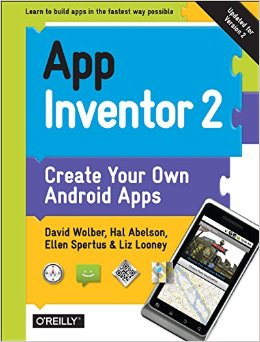
Each teaching module assigns readings from the O'Reilly textbook App Inventor: Create your own Android Apps,
of which I am a co-author. The book provides updated and refined versions of the tutorials available on the App Inventor site, additional tutorials not on that site, and an "inventor's manual" section that is conceptual in nature as opposed to being in tutorial form. Each teaching module assigns both tutorials and conceptual chapters from the book so as to enrich the more mechanical, practical app building with a deeper understanding of the computer science and programming concepts. You can use these modules without the text, but you'll find that the text will provide a great resource for your students.

Modules


There is some dependency between modules. For instance, the introduction should be provided before moving on, and its a good idea to give your students some experience with module 2 (Games) and/or 3 (Apps using technology) before moving onto modules 4 and 5 which require abstract thinking and programming. Module 6 on procedures could be given earlier, but I prefer to give it once students have written a number of event-handling apps without thinking of sub-procedures. Module 7 includes fairly complex parsing of web results so should definitely be presented after the other modules.

Module 1: Introduction
Topics  Lessons Reading and Video
Components and properties

Events and event handlers

Calling built-in function blocks

Parameters

Variables

Drawing Canvases

Web: Working with images and sound
Introduction to App Inventor

PaintPot and Initial Discussion of Programming Concepts

Create your Portfolio

Creative Project: Soundboards
discusses deploying an app to a web page with barcode

Mobility and Augmented Reality

What is App Inventor? Discusion of articles -->
  solution
Tutorials:
Hello Purr (ch 1),PainPot (ch2) ((all chapters from App Inventor book)

Conceptual Reading:
ch 14 (app architecture)
ch 16 (variables)

Readings about App Inventor and Do-it-yourself Programming

Steve Lohr, Google's Do it Yourself App creation Software, NY Times.

Jason Kincaid, It’s Alive! Taking Android’s App Inventor For A Spin Tech Crunch

Clive Thompson, Coding for the Masses, Wired Magazine.

Howard Wen, The Ascendance of App Inventor: David Wolber on why App Inventor isn't just for novices, O'Reilly Rader Interview.

Hal Abelson, Mobile Ramblings, Educase

Mike Loukides, App Inventor and the Culture Wars, O'Reilly Radar.

Clay Shirky, Situated Software.

Igor Lansorena, Man Proposes using Harry Potter app ceated with app Inventor, EITB news

Apps:
Google Goggles
Layar,Wikitude

Videos:
App Inventor in action
App Inventor at USF
BBC Webscape video
CS Night at USF, 2010

Getting Started (Jason Tyler)
Getting Started (Ben Martin)

Module 2: Games
Topics Lessons  Reading and Video 
Timer Events
Canvases and Image Sprites
Moving Objects over time
Drag and Touch Events
Conditionals
Introduction to Games

Creative Project: Space Invaders
Tutorials: 
MoleMash(ch3), Ladybug Chase (ch 5)

Conceptual Reading:
Creating Animated Apps (ch 17),
Conditional Blocks (ch 18)
Sensors (ch 22, section on orientation sensor)

Video:
Coordinate System
Diagonal Movement  pt2

Graphics and Arrangements

Module 3: Texting, Location Sensing, and Other Mobile Technology
Topics      Lessons  Reading and Video 
Location Sensor
GPS
My Maps and Map URLs
Text-to-speech
Speech-to-text
Barcode Scanner

  Tutorials:
No Text While Driving (ch4)
Where's My Car? (ch 7)

Conceptual Reading:
Sensors (ch 22, first part)

Additional Reading:
Location-Aware apps and Privacy

Video


No Text While Biking @Youtube


Module 4: Quizzes and Other Informational Apps
Topics      Lessons Reading and Video 
Lists of data
Iterating a list with an index
Lists of lists

 Iterating through a list
Tutorials:
Presidents Quiz (ch 8)

Conceptual Reading:

Programming Lists (ch 19, up to 273)

Video:

Module 5: Input Forms, User-Generated Data and Persistence
Topics Lessons Reading and Video
Input forms
Screen Arrangements
Dynamic Lists
Iteration: Displaying Lists
Persistence
 user-generated data and a NoteTaking app

foreach iteration and displaying a list

Persistence worksheet
  followup
Tutorials:
Xylophone (ch 9)
Make Quiz (ch 10)
Broadcast Hub (ch 11)

Conceptual Reading:

Programming Lists (ch 19, 273-)
Iteration (ch 20)
Databases (ch 22)

Module 6: Software Engineering and Procedural Abstraction
Topics  Lessons Reading and Video
Procedures
Parameterizing procedures
Debugging 
Procedures

Procedures and code reuse

Deploying an app 
Conceptual Reading:
Procedures (ch 21)
Engineering and Debugging (ch 15)

Video
Deploying an app on the web with barcode

Module 7: Apps that access web data
Topics Lessons  Reading and Video
URLs and URL parameters
Web component
TinyWebDB component
Parsing CSV
Parsing XML 
Displaying charts with Google Chart API

 
Tutorials:
Amazon (ch 13)

Sites:
appinventorapi.com

Video:


Creative Commons License
App Inventor "Course in a Box" by David Wolber is licensed under a Creative Commons Attribution-NonCommercial-ShareAlike 3.0 Unported License.