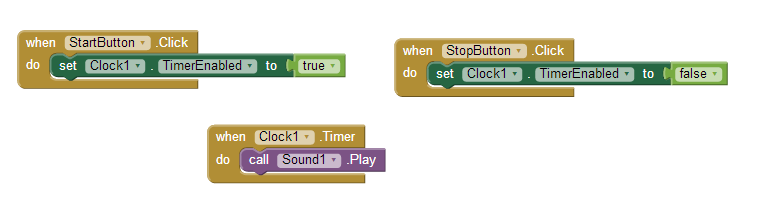
Example 1. How do you start and stop playing a sequence of sounds when the user clicks?
example 2The clock has a Clock.TimerEnabled property. When it is true, the alarm clock is on so the timer will trigger. When Clock.TimerEnabled is set to false the timer is dormant.
When the user clicks the start button, TimerEnabled is set to true to get things moving. A second later, and each second thereafter, the when Clock.Timer event will trigger and the sound will play. When the user clicks “Stop”, the timer is disabled and the sound stops playing.